A window for the work
Open your workspace from Smol. Search with ⌘K. Use familiar editing, zoom and fullscreen controls. Your desktop session stays on this Mac.
The Mac beta
Your team’s files, conversation and next step in one dedicated window. Keep the project close without keeping another browser tab open.
Apple Silicon · macOS 12+ · Chrome for sign-in · Online
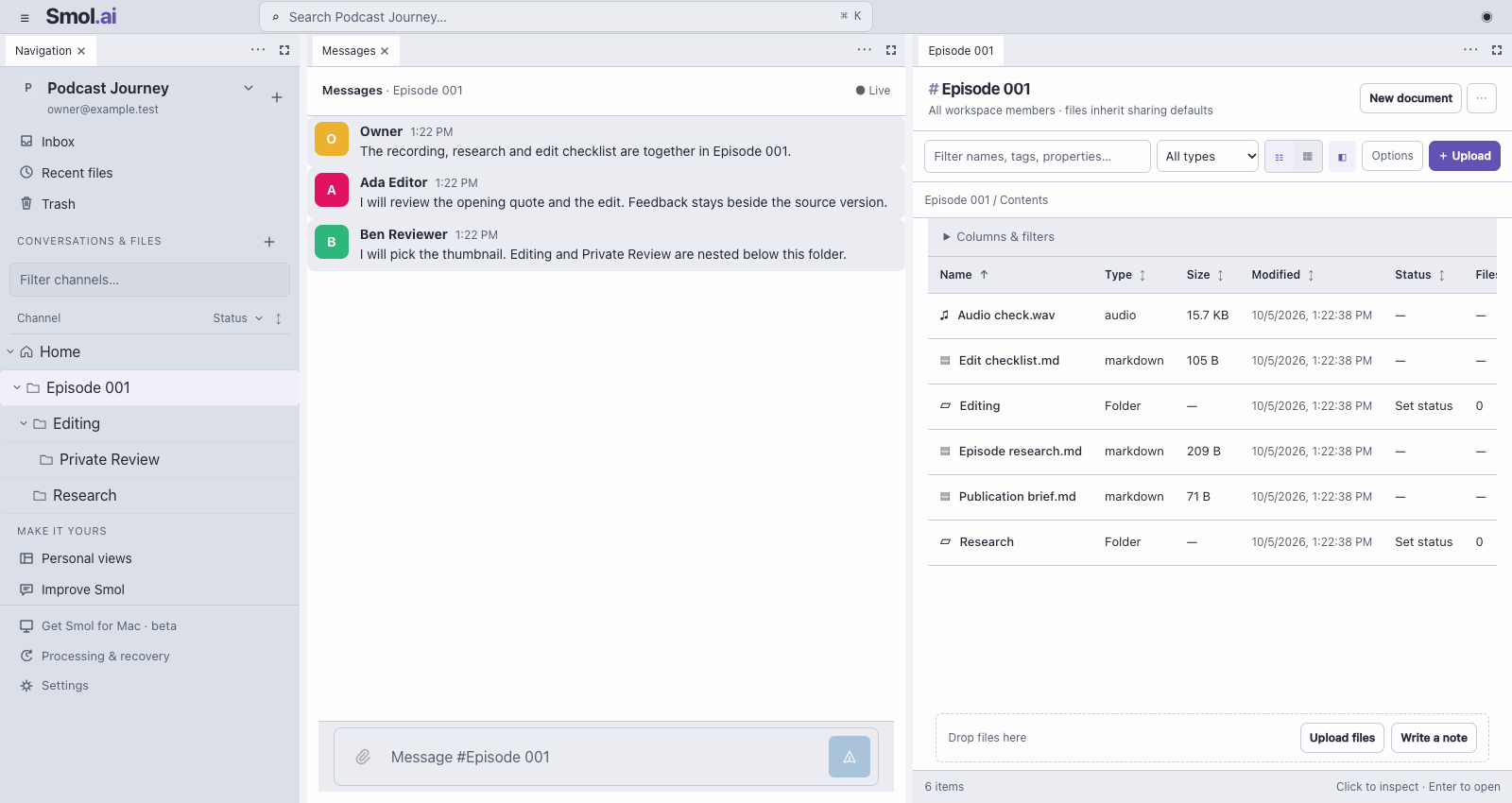
Open your workspace from Smol. Search with ⌘K. Use familiar editing, zoom and fullscreen controls. Your desktop session stays on this Mac.
Recordings, edits, thumbnails and feedback live together. Folder chat, owners and statuses keep the next step beside the files.
Search processed content, read transcripts and ask file questions with source references. Reselect an original to resume an interrupted upload.
What we’re designing for
Pick up the project where the team left it, with the files and decisions in view.
Smol checks for a newer beta at startup. You can also choose Smol → Check for updates. Updates download and verify in the background. When ready, choose Restart to update; your desktop session stays on this Mac.
The hosted workspace updates automatically. Older betas need one manual replacement to enable automatic updates.
Apple Silicon only today. Intel Mac, Windows and Linux builds are not available yet.
Why we built Smol ↗